2026
Fernando
A free app, for iPhone, iPad, CarPlay and Mac
Fernando is the radio from the 2000s Grand Theft Auto games, on iPhone, CarPlay and Mac. It’s free and it ships with no music. You point it at your own copy of a game, and it plays that game’s stations the way the game did.
The app icon: a pink transistor radio, tuning dial and all. Still broadcasting
I played a lot of Grand Theft Auto as a kid, hours and hours of Vice City. English isn’t my first language, so I understood almost nothing the radio was saying, except one name: Fernando Martinez, one of the DJs, which is also my last name.
Those stations were more than songs in a row. DJs talked over the intros, and there were idents, fake adverts and call-in shows. They also kept going while you weren’t listening. Get out of the car, steal another one later, and the station has moved on.
The music has been on fan playlists forever. I wanted the radio. Fernando ports each game’s radio logic. In San Andreas, that means the game’s own rules for picking the next song, intro, ad or bit of banter, instead of a shuffle. Every station runs on its own timeline, so if you come back an hour later you land mid-song or mid-ad, wherever the programme got to. The static between stations comes out of the game’s own sound files.
Some of that logic comes from the community’s reverse-engineered versions of the games. I took other parts apart myself in Hopper , and some with AI help, especially the PlayStation versions, which run on very different hardware.
Mostly I needed an excuse to make something for myself again, so I wouldn’t get rusty. I learned a lot about agentic AI workflows doing it, and found that I can still get away with UIKit and state machines instead of SwiftUI now that I’m not the one typing every line. That leaves me on the fun stuff.
Now Playing, with the station’s own art and whoever’s hosting it. Bring your own games
Fernando contains no audio of its own. You import a PC install folder, an archive, or an image of your own game disc, and it copies only the radio files it needs. In the library, each game shows up as a small 3D model of its own save icon: whatever you saved onto in the year that game is set. A diskette, a cassette, a CD, and for Grand Theft Auto IV, a phone.
Each game’s save icon, modeled in 3D. Then it went in a car
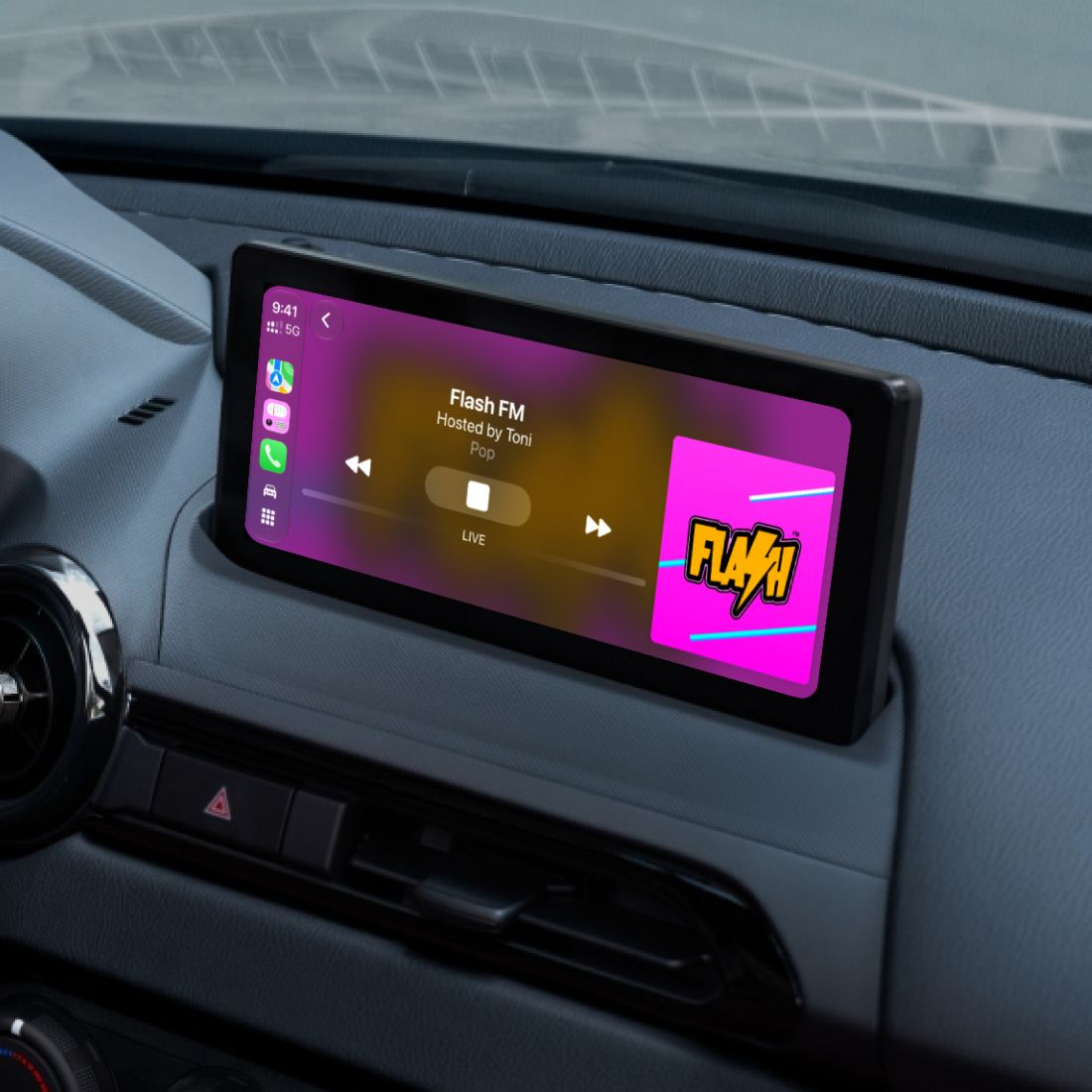
The App Store subtitle is “Radio worth stealing a car for”, and CarPlay was the point.
Flash FM, live on the dashboard. Soon it had grown to six games, PlayStation 2 and 3 discs, a native Mac app and the iPad. In Grand Theft Auto IV, the radio follows the real weather and time of day in a city you choose.
The Mac app, with the save icon over the stations. Vice City: nine of them, all set in 1986. Folding it for iPhone Duo
I’d already built the iPad layout as a split view, the library beside a game. On Duo it’s chosen by available space, not device type, so when Duo is open, the library and the game split at the fold. Closed, it collapses into one stack. Then I went through every screen. The player bar moves to one side of the fold instead of straddling it. Now Playing puts the covers above a horizontal fold and the controls below it. The sheets clear the status bar running down the side. The animation that opens the player rounds each of the four corners to match the display, so it fits a closed Duo’s uneven ones.
Now Playing on the cover display: the art up top, the controls under it.
2020–2024
Figurative
A side project, for iPad and Vision Pro
Figurative let you run Figma on an iPad as if it were a computer: Magic Keyboard, trackpad or mouse, plus the Apple Pencil and your fingers. It was free, and it wasn’t made by Figma.
The app icon: Intersect selection, the boolean operation, drawn as two overlapping squares. Why it existed
I was trying to use an iPad as a real computer. It felt like Apple was about to deprecate macOS, the Mac hardware of the moment was bad in ways you had to live with, the Touch Bar and the butterfly keyboard, and an iPad Pro with the new Magic Keyboard felt like the future. People were already taking that to the extreme, Federico Viticci above all, with convoluted setups to make an iPad work for real work.
In March 2020 Apple announced trackpad support for the iPad, alongside the Magic Keyboard. I bought one and opened Figma in Safari right away. It was about 90% there. Files loaded, but you couldn’t scroll the canvas, and the Pencil did nothing. When panning around doesn’t work, you can’t really edit anything.
The first commit was on April 15, 2020. Version 1.0 shipped on May 22, five and a half weeks later.
What kept me at it was someone else. A plain iPad, the one with no word after the name, cost less than a Mac back then, and for a lot of young designers it could be the way in.
What it felt like
Figurative wrapped Figma’s web editor in a native shell, with tabs and a dark interface, and patched the parts that didn’t work on an iPad:
Figma’s desktop app can see the fonts on your machine, and the browser can’t. Figurative handed Figma every font on the iPad, including ones you’d installed yourself.
The Pencil selected, dragged and used tools. Two fingers scrolled and zoomed. A two-finger tap undid and a three-finger tap redid.
Touch Shortcuts put Group, Frame, Duplicate, Delete, Create Component and more in a small menu at the edge of the screen, for when there’s no keyboard attached.
It behaved like an iPad app: multiple windows, tabs that came back after a relaunch, home screen shortcuts, “Open in Figurative” from any share sheet, and exports saved straight to Photos or the share sheet.
Figma’s web editor in a native shell, with tabs across the top. Finger Tips, a little 3D book inside the app. You flipped through it to learn the Apple Pencil and the touch gestures. The making of it was a pile of hacks. Pencil support worked by pretending to be a mouse and feeding those events to WebKit, the way a Mac would. That’s also why it was fragile, as I’d find out.
How it went
The first version ran really smoothly, and it got featured on the App Store. The Figma and iPad community on Twitter took to it, and the app kept its own account there, @figurativeapp . A week later, 1.1 added multiple windows, share-sheet links and Screen Zoom, for fitting more of Figma on a smaller iPad. 1.2 in June brought the Pencil, touch gestures and Touch Shortcuts.
More people started using it for serious work, and the problems got bigger with them. iPadOS kills a tab that uses more than about half the device’s memory, so large files crashed. Each iPadOS update could break the cursor or touch input. I kept reworking the hacks when I had time.
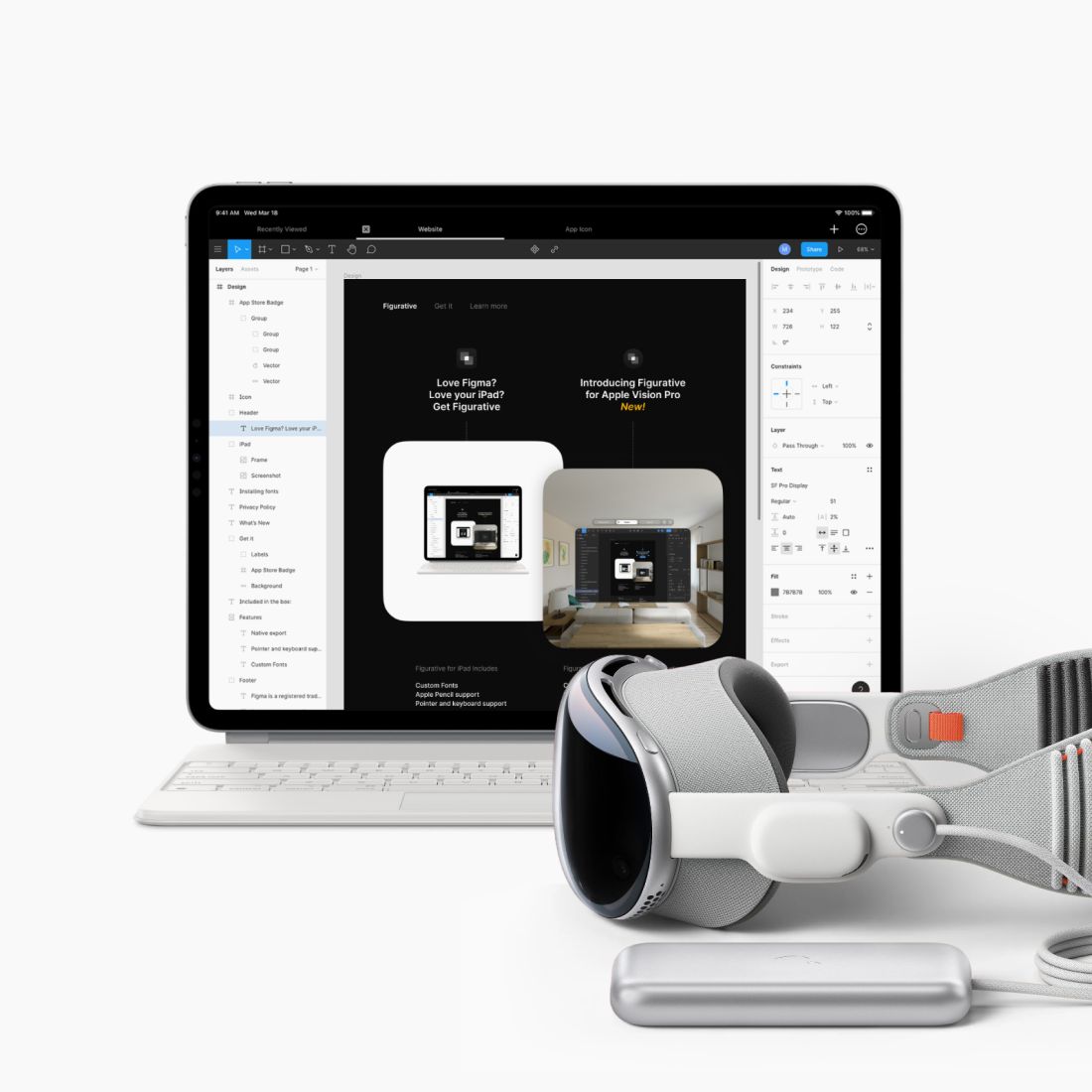
In January 2024, version 1.4 added Apple Vision Pro. The tabs floated in an ornament above the window, and Figma’s toolbar got extra padding to clear its rounded corners. I hoped the extra memory would fix the large-file problem. It didn’t, really: Vision Pro is essentially an iPad, and mirroring a Mac’s display into it works better.
Version 1.4, on Apple Vision Pro. The end
I removed Figurative from the App Store on November 25, 2024, a few hours after reading that Wil Shipley had pulled Delicious Library from the Mac App Store after Amazon shut off the feed it relied on. Figurative kept breaking too, and even as a free app, that wasn’t fair to the people relying on it. The website stayed up with a goodbye note.
“Figurative has been the single best solution for Figma design on the iPad.” — dan.taylor, Figma Community forum , the day after it disappeared
The goodbye note on the website. What it taught me is that I’m a control freak. Building for Apple’s platforms, you get used to not having much: Apple knows best. Customer support is where that got frustrating. Figma itself ran great in there; memory was the problem, and all I could tell people was that virtual memory wasn’t mine to fix.
2020–2023
Uber Grocery
Cornershop inside Uber, and then Uber Eats
Uber Grocery is what Cornershop became inside Uber. When the deal closed, grocery delivery was booming because of COVID, and Cornershop kept growing, so at first it stayed its own company, with its own apps and its own tech stack. The integration with Uber came in steps, starting light.
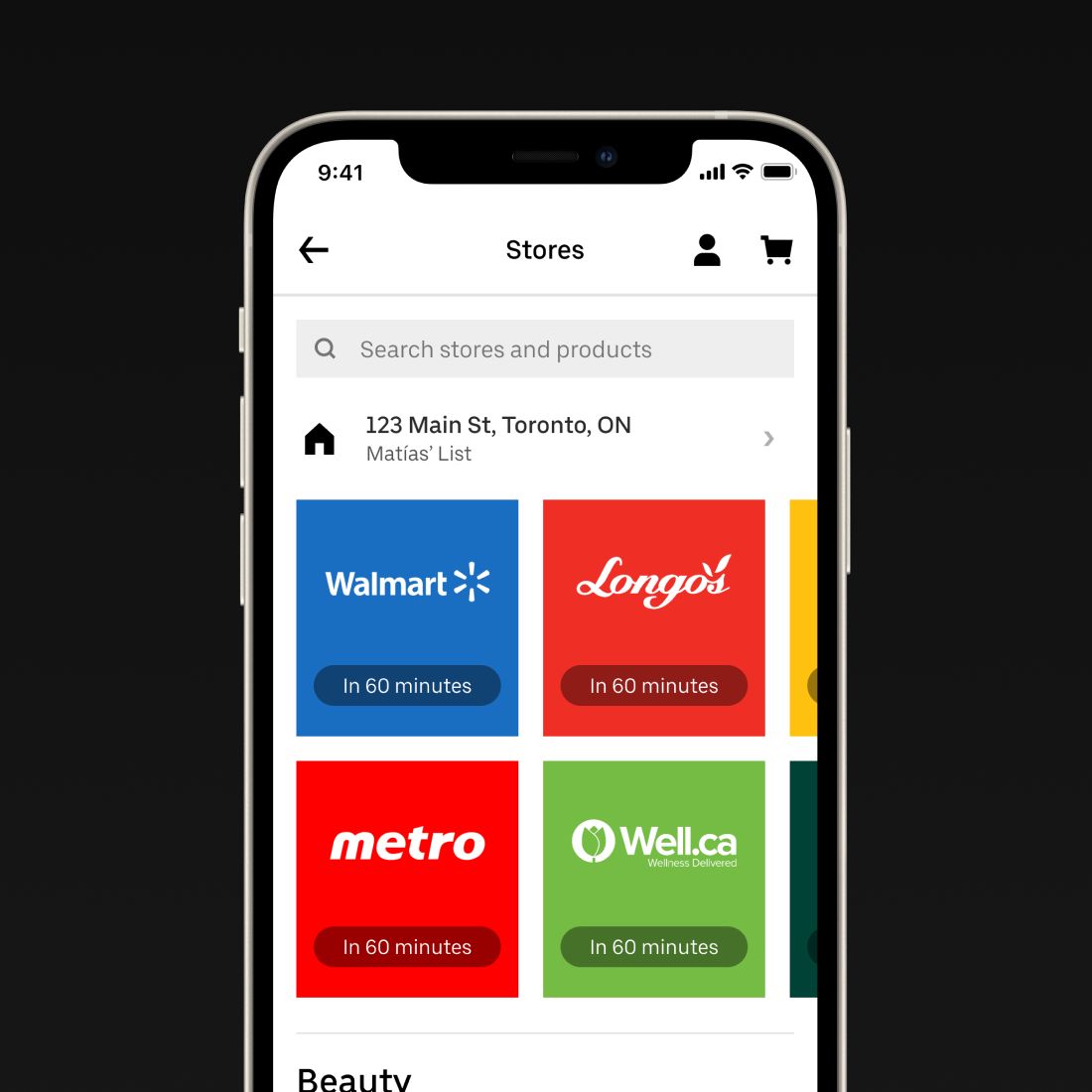
The first one was letting people sign in to Cornershop with their Uber account. The first real collaboration was bigger: in 2020, Uber put grocery delivery inside the Uber and Uber Eats apps, in cities in Brazil, Chile, Colombia, Peru and Canada, and soon the US. Under the hood it was the Cornershop mobile website running in a web view . We restyled it in Uber’s design language, with its fonts, colors and so on, so it felt at home in someone else’s app. That part wasn’t hard. Cornershop had been minimal and nearly brandless on purpose, so it could feel native on each platform, very Android on Android, and that made it easy to dress up as Uber. Orders were still shopped and delivered by Cornershop.
Cornershop inside the Uber app, in Uber’s type and colors. Uber’s CEO, on launch day. Cornershop itself got “by Uber” next to its logo. With Uber’s name behind it, we could advertise more and open new markets. In 2021 Uber bought the rest of the company , and Cornershop was in eight countries by then.
The new lockup, on a shopper’s t-shirt. Into Eats
Outside Latin America, a separate brand made little sense, and doing everything twice would only get worse with time. So the next step was a real integration, building grocery into Uber Eats itself, which is how it could launch properly in the US. The goal was to bring our team, and what we knew about groceries, into the Eats product. My title never changed: I was Head of Design at Cornershop until I resigned. In practice I worked more or less as a consultant, helping on many of the efforts in that direction.
In 2022 Uber launched a new grocery experience on Eats, co-written by Oskar, Cornershop’s CEO. It was native rather than a web view, and it said the goal was to bring Cornershop’s “product and industry expertise to Uber’s best in class technology”. The next year the Cornershop app was retired, and its stores moved into Uber Eats, which Uber said unified its grocery delivery experience globally.
Many Cornershop customers missed the old app . But a lot of it lives on. Uber Eats now carries many of Cornershop’s conventions, interface patterns and lessons, and they reach far more people than we ever did on our own.
2015–2020
Cornershop
A grocery delivery startup, in Latin America and beyond
Cornershop let you buy groceries from your phone. You picked a supermarket or shop near you and filled a cart, and a shopper went to that store, picked your items and brought them to your door. The promise was one hour. It launched in 2015, in Mexico City and Santiago at the same time.
The first landing page. One promise, one field, one tomato. Abuelita driven design
Cornershop came out of the team that had just failed with Seahorse. Daniel Undurraga, one of the founders, later said that Seahorse was where we’d learned to make mobile apps. I took scars from building for a real market, and the belief that software has to be really, really easy to use. I called it abuelita driven design. Abuelita is Spanish for grandma: design as if every customer were a grandmother who isn’t sure what she’s doing, and the app still has to work for her. I gave a talk about it at the Universidad de Chile in 2019. Grandmas aren’t hackers, so the inspiration was always the apps that come with the phone. Designing for them also made Cornershop accessible to the many customers with poor eyesight or reduced mobility.
In practice that meant a simple, physical structure that anyone could follow, like the aisles of a store. From the first version, the customer app had four levels: the stores near you, a store, one of its departments, and a product. Each one was its own screen, and you could swipe forward to the next level as well as back, the way you go back and forward between pages in Safari.
The four levels, left to right. I wrote that iPhone app and built the landing page. My title was still Software Wizard. Then I ran the team that made the customer apps for iPhone, Android and the web, then all of product as Head of Product, and finally design alone, as Head of Design.
On iPad the levels sit side by side, and you drag what you want into the cart. More than one app
Customers only ever saw one app, but Cornershop ran on several, and design grew into a team to cover them: product designers, marketing designers, and content designers for everything that went into the app. I designed the shopper app myself, with the same focus on ease of use, so that anyone could become a shopper. We had shoppers of all ages. Other designers took on the software stores used to sell on Cornershop, and the tools brands like P&G used to see how their products did across every store and to buy advertising. We wrote it all down in a design system, starting with our design principles, then type, color, icons and voice.
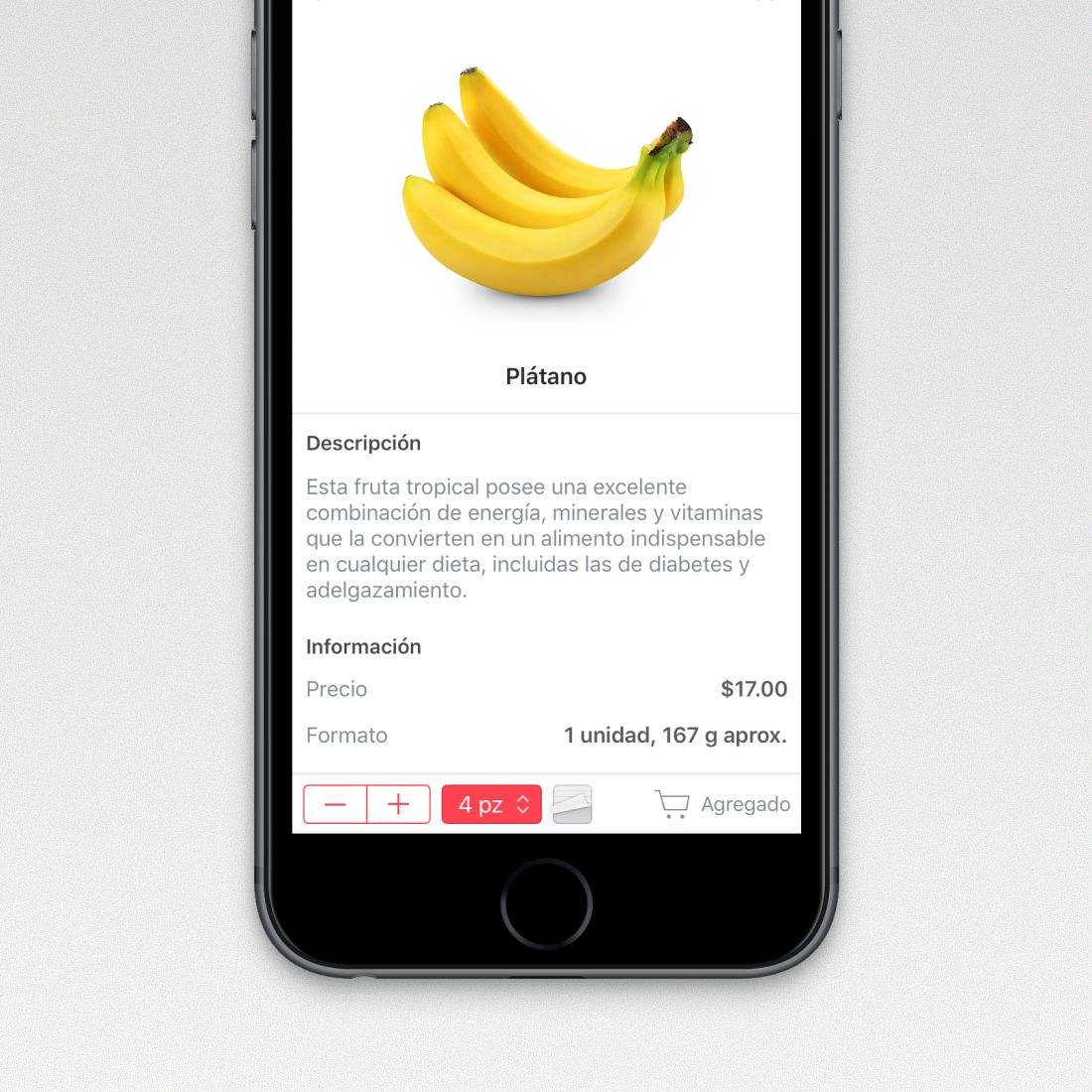
The shopper app. Shoppers had to pick the way the customer would, so the customer’s note, here asking for the riper bananas, sits right on the item. Where the brand got to talk
Most of my work on the brand was pushing it out of the way. You opened Cornershop to buy groceries, not to look at us. The logo was on the icon you tapped, and after that the screen belonged to the stores and the products. I wanted the brand as close to invisible as I could get it.
The brand had a sense of humor too, and it came out in the places that weren’t in anyone’s way. One was the bags your groceries came in. Each had a different line printed on it, and a drawing to go with it.
“Happiness is living a more chinchilla life.” The other was the post-checkout: the screen that came up after you placed an order. It pulled a message at random, so it was different every time. Dad jokes, mostly. An editorial team wrote them, and my designers drew art for each one.
One of the messages. It was summer, and we’d started delivering up the coast. design.cornershop.io. Signed at the bottom by everyone who worked on it. My favorite part of the job
By the end design was about thirty people, in Chile, Mexico, Brazil and Canada, and I drew the org the way the company was shaped rather than by craft. It came out in four groups.
Product design I split by who it was for, not by platform. One designer owned customers, one shoppers, one merchants, one brands, and one the tools we used in-house. Each had the surfaces their audience touched underneath them: orders, content, checkout and support for customers; picking, handoff, earnings and onboarding for shoppers; whitelabel stores for merchants; ads, promotions and reports for brands. The in-house group mirrored the other four, because the person answering a shopper at two in the morning needed an app as much as the shopper did.
Communications had its own art director in each country, with project design leads by region and one designer on the design system. Production made everything that wasn’t an interface: product photography, motion, animation, the artwork brands and merchants ran on the store. Operations, the last group I built, was the producers and project managers who kept work moving across all of it.
I hired on prior work, looking for the most passionate person in their field, and from inside the company wherever I could. Designers on my team had started as frontend engineers, or in roles that put them with shoppers every day. Like me, you didn’t have to be a designer to work in design.
Product design, out of the office. Parque Bicentenario, in Santiago, at one of the in-person meetings we started having again once the COVID restrictions lifted. How it went
Oskar and I had a name for the bigger plan: the Trojan Avocado. Groceries were the way into people’s homes, and once you were the one bringing their avocados every week, the rest of retail could follow. I Photoshopped it into a painting, and it became the vision: a mandatory slide in every investor deck, all-hands and internal update.
The Trojan Avocado, framed. It grew fast, with customers doubling in a year. In 2018 Walmart agreed to buy Cornershop for $225 million, then the highest offer ever made for a Chilean startup. Mexico’s competition regulator blocked it . We kept going, and opened in Peru and Canada.
Then Uber agreed to buy a majority of the company instead. What came after is Uber Grocery .
2013–2015
Seahorse
A photo-sharing startup, for iPhone and Android
Seahorse was a place where a family, or a group of friends, kept their photos together. You made a “scene” for a trip, a holiday or a new baby, invited the people who were there, and everyone’s photos and videos ended up in one private album, at full resolution.
The app icon, white on purple. The name is the hippocampus, the memory part of the brain, which is itself named after the shape of a seahorse. We called it Memo for the same reason. The idea
It started with Oskar Hjertonsson and Daniel Undurraga, who had already started Needish in Chile, turned it into ClanDescuento and sold it to Groupon. Around New Year’s 2013, Oskar realized that everyone had been taking photos, each person for themselves, and he’d never see most of them. They wrote about it when the app launched:
In early 2013 we sometimes discussed this problem, and one day we realized that all places where we keep photos are designed for “you and your photos.” But what about “us and our photos”?
They found me through a startup they were mentoring, which had interviewed me while I was still in high school. The interview went well and I turned the job down: it was in Santiago, and I had school left. Then an email arrived, we talked on Skype, and I joined when Seahorse was still just that, a need someone wanted to solve. I dropped out of computer science and moved to San Francisco for it. It was the first time I had ever left Curicó, and I didn’t meet Oskar or Daniel in person until they picked me up at the airport. My title was Software Wizard. In practice I was in charge of design: the product, the iPhone and Android apps, the website and the marketing. I also wrote the iOS app and the landing page.
Co-owned photos
What made Seahorse different was a rule we called co-ownership. Anyone in a scene could add photos, and for the first seven days anyone could delete one, no matter who took it. If you left a scene, you left with a copy. Who pressed the shutter stopped mattering. The people in the photos got a say in what was kept.
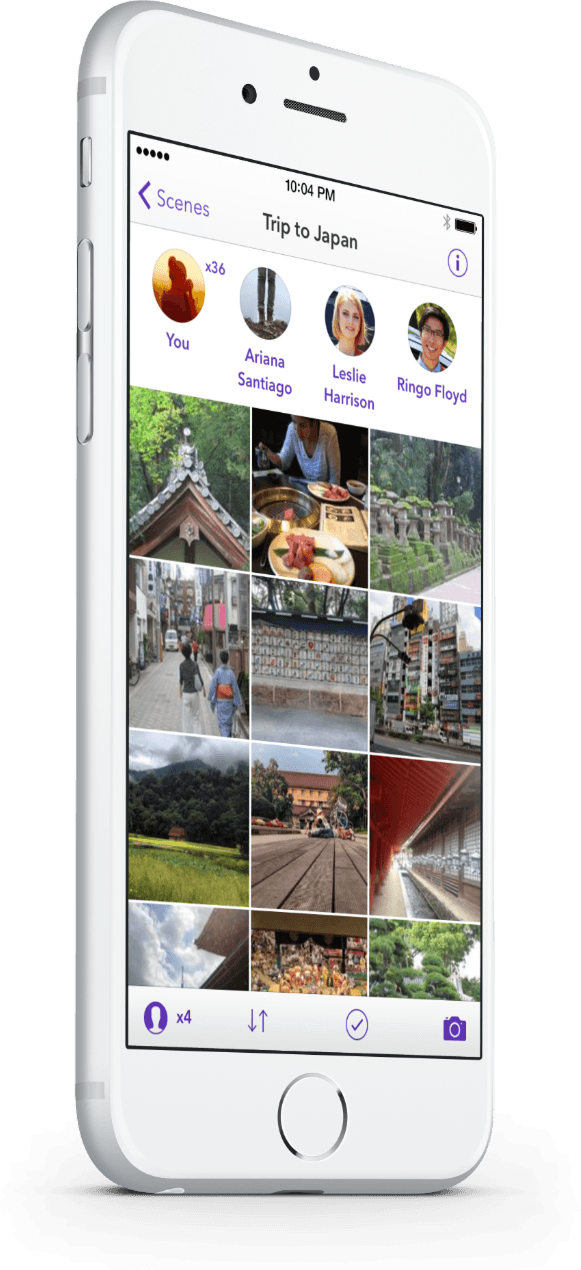
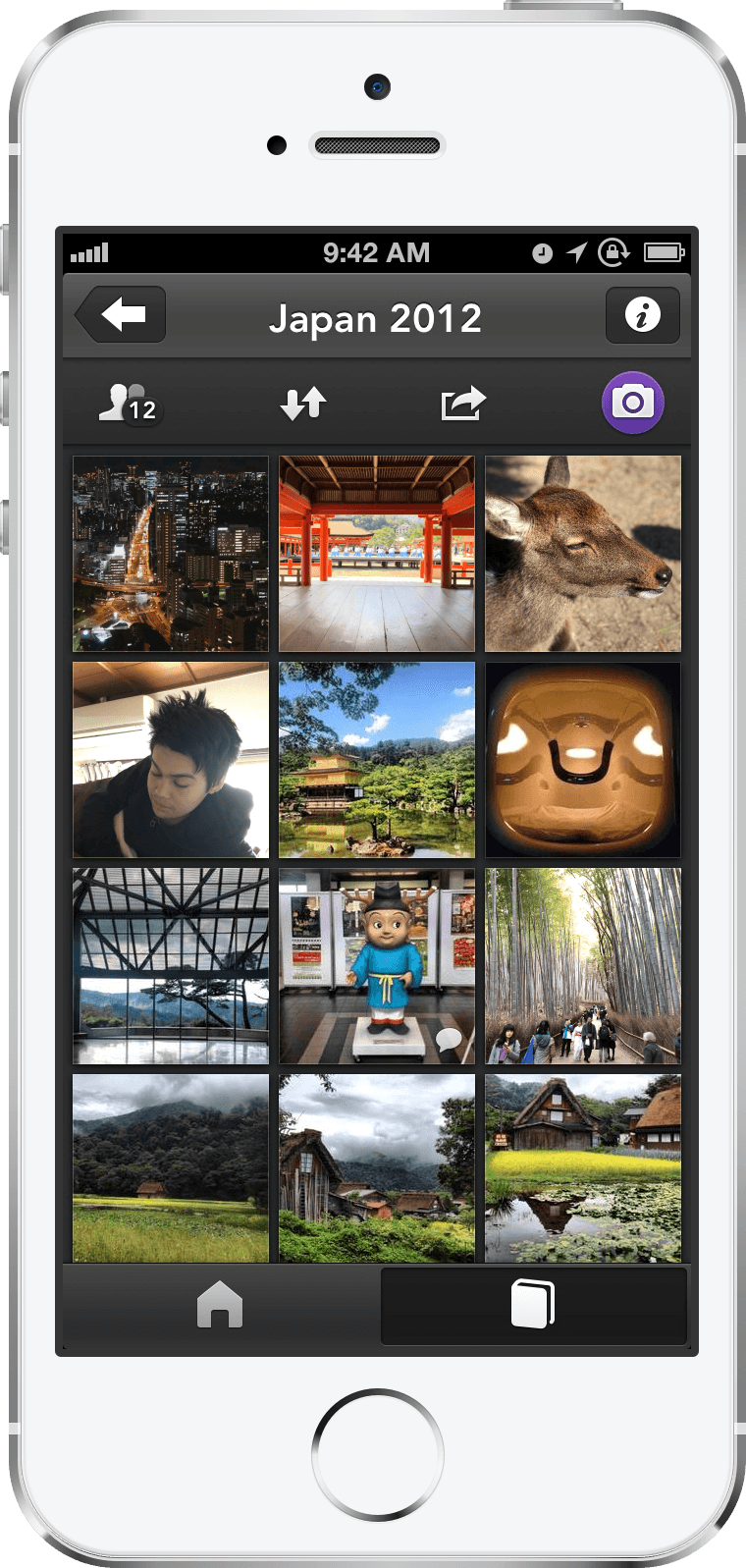
Everyone in the scene across the top, and one grid of their photos below. The first version was dark. I took that from Apple’s pro apps on the Mac at the time, like Aperture and Final Cut, where a dark interface steps back so your own work pops. On Seahorse, that was the photos.
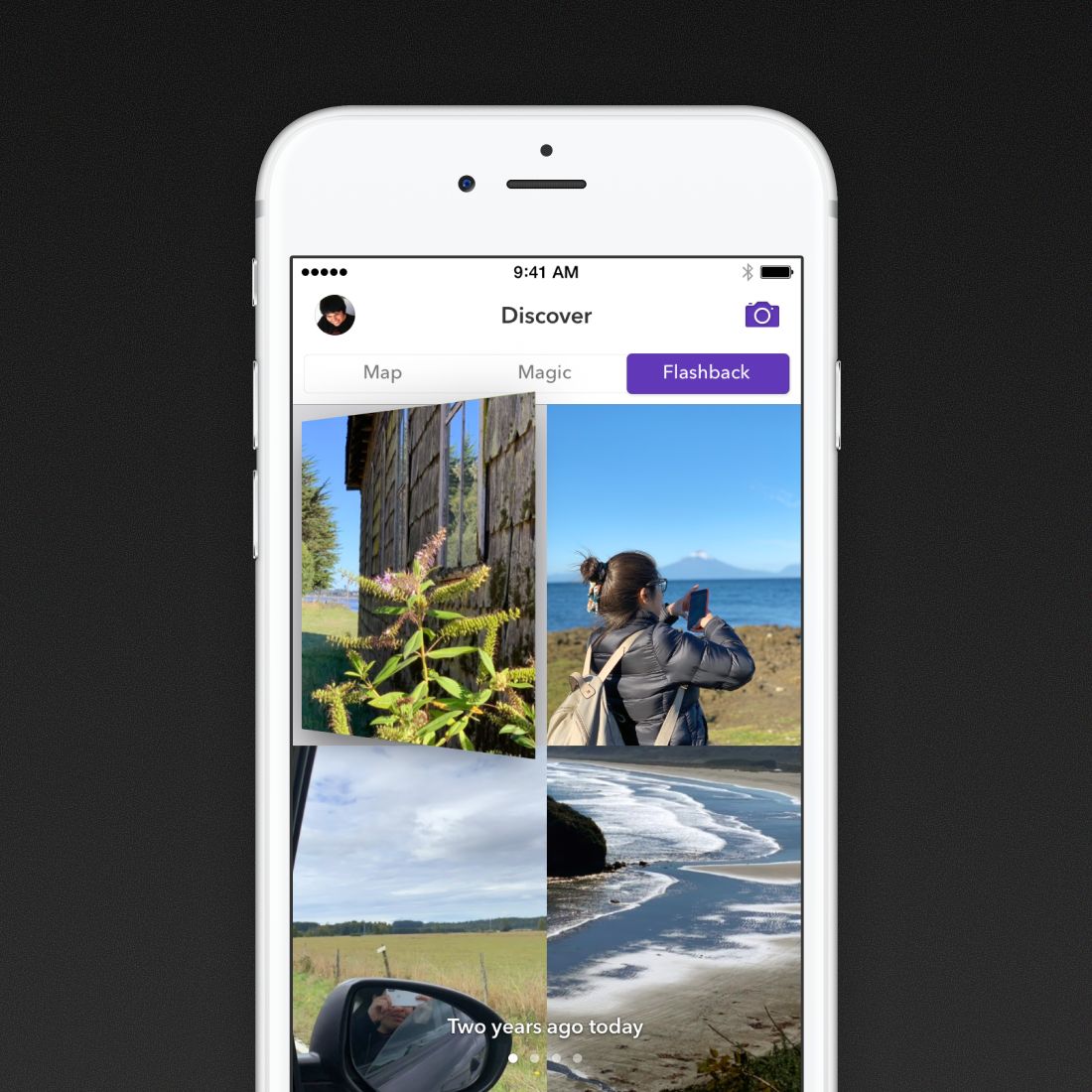
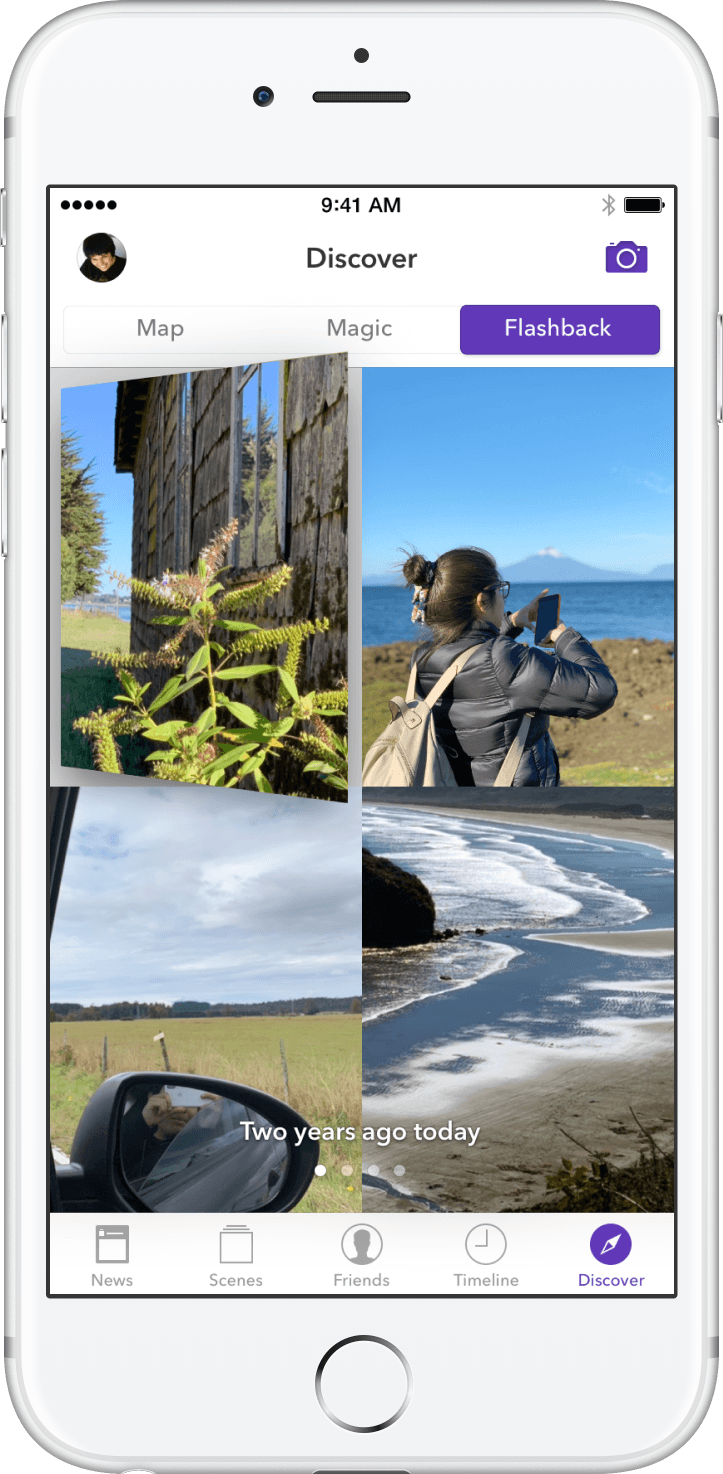
The first version, for iOS 6. In 2014 I redesigned it for iOS 7, light and flat, and added ways to rediscover old photos. Flashback started each day with photos from that date in past years. Map put your photos on a map and clustered them by place, so you could pull up everything you’d shot at home, or everything from Japan. Shaking the phone pulled up a random photo from your past.
The 2014 redesign, light and flat for iOS 7. TechCrunch and The Next Web covered the launch. Later we tried a family subscription: a dollar a month for 100 GB.
How it ended
It didn’t work. Looking back, Daniel put it down to a market that changed under us: Flickr went free, Google launched Google Photos, Amazon added photos to Prime, and Apple cut the price of its storage. Seahorse shut down at the end of 2015.
Most of our team stayed together, though, and we pivoted to Cornershop .
Those three years taught me something about myself. I’m happiest when I can go nuts on a product, obsess over it, sleep very little and be miserable, as long as what comes out is good. I love to work.
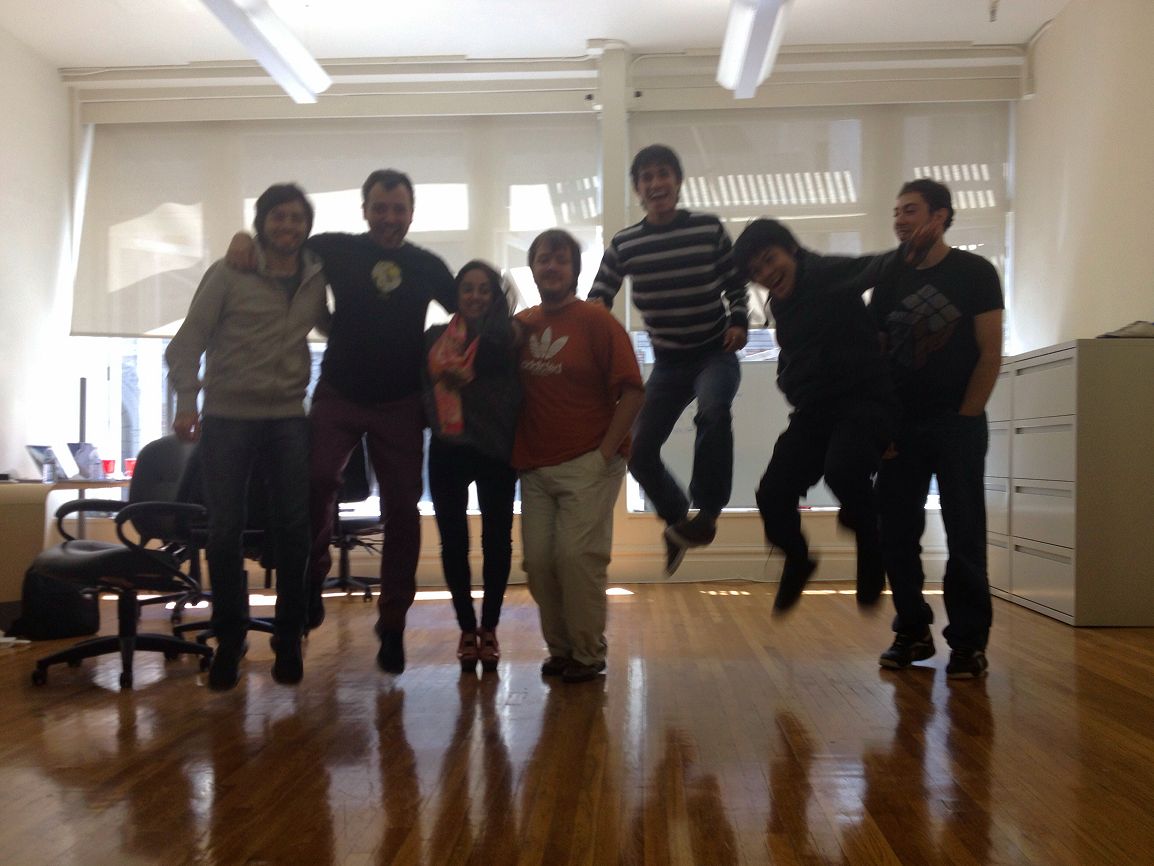
Trying to take a group photo with an iPhone 4 in 2013.
2009–2012
First apps
Learning to make apps, for Mac and iPhone
I learned to code from a book my dad bought me. He really likes books, and he came home from book shopping with one that taught BASIC, where the first step was digging QBasic out of the Windows 98 install disk. I was in fourth grade, in Curicó. The year after, a good computer teacher at school taught me Flash and ActionScript, and I made a lot of Flash games. By high school I was doing web design and programming for a few design agencies, on their clients’ work. Then I saved up, my parents helped a lot, and I got my first Mac, right as the Delicious Generation of Mac apps was happening. I taught myself Cocoa.
These are some of the apps from those first years, roughly in the order I made them. Some shipped and some didn’t.
It started with a pile of small, free Mac apps on my old site. Sonomatic pulled the audio out of any video, YouTube clips included. Chocolist kept a to-do list in its Dock icon’s menu. Peazeta adjusted brightness, contrast and saturation while a video played. Uniunit converted between four temperature scales, and Cereal let you edit a web page as if it were a Dashboard full of widgets. There was even a Dashboard widget for reading the Chilean comic El Show de Juanelo
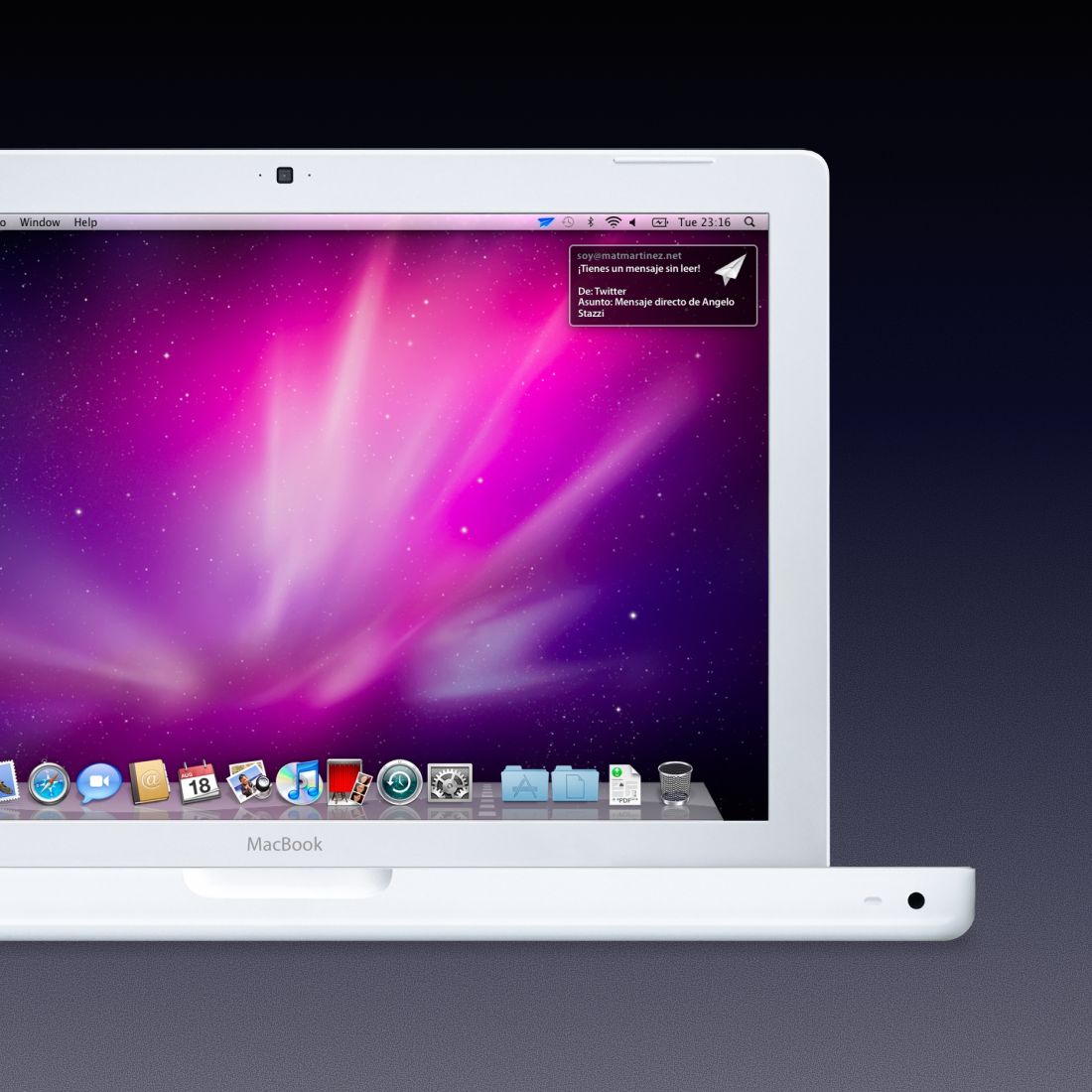
AirMail was a Gmail notifier for the Mac: one icon in the menu bar for any number of accounts, and one Growl notification per account instead of one per email. I designed and built it; Angelo Stazzi drew the icon.
AirMail’s notification, drawn as a paper airplane. Review was a synonym finder for the Mac, in Spanish and English. I made it for a dumb reason: to take one essay and hand my friends “copies” of it with the words swapped. I really did use it for that.
Delivery made JavaScript and CSS files smaller. You dropped them on its Dock icon, it ran them through Yahoo’s and Google’s compressors, and the smaller versions landed next to the originals. MacStories reviewed it in January 2011 and picked it over a $15 rival because it was free and took fewer steps.
Delivery was one window and one instruction. My first iPhone app was Plumifero, a Twitter client. A blog in Chile wrote it up as a rip-off of Tweetie.
Written was a Markdown editor for the iPhone, with a flat, paper-colored screen and plain type, two years before iOS 7 dropped the textures. It never shipped.
Written, on an iPhone 4. Controls didn’t ship either. It turned the iPhone into Apple’s aluminum Remote and paired with a companion app on the Mac to do everything the real one did. Slide the remote aside and you got to the Mac’s music library.
Controls, drawn like Apple’s aluminum Remote. Then came Seahorse , where making apps stopped being something I did on my own.